/teamkeepr_logo.png?width=191&height=45&name=teamkeepr_logo.png)
This report can be found by going Administrator -> Reports
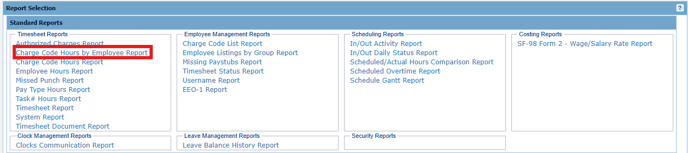
This report allows you to select a single employee and one or more of their charge codes to view the hours they charged to those codes per timesheet over the selected date range. In order for hours to appear on the report, they must be saved on an employee's timesheet in the Hours Worked section.
Input:
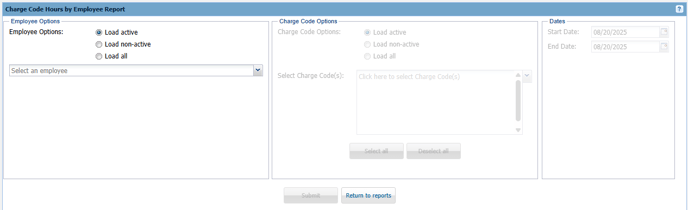
Employee Options - Select an employee to view their hours. To include former employees, choose 'Load non-active' or 'Load all' to display all employees.
Charge Code Options - Select one or more Charge Codes you want to view the hours for. To include former Charge Codes , choose 'Load non-active' or 'Load all' to display all Charge Codes.
Dates - Select the date range you want to view hours for.
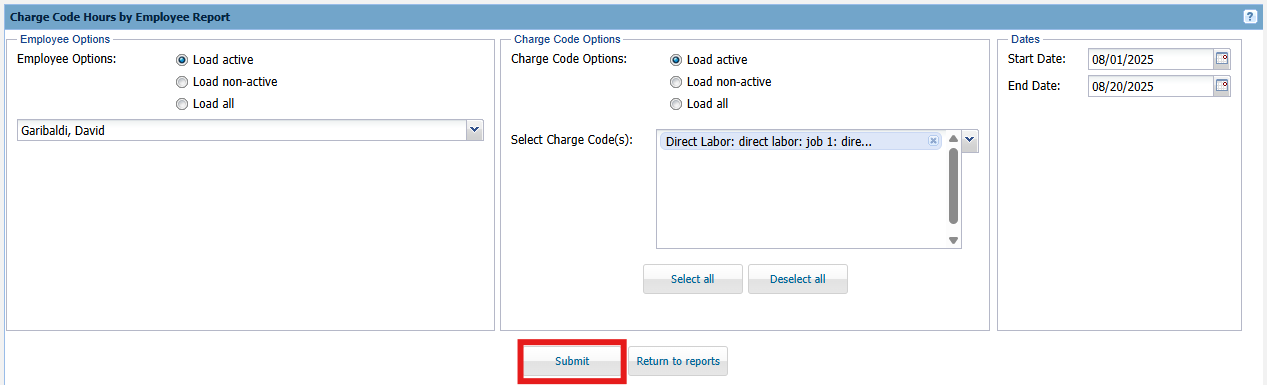
Output:

Each line of the output shows the hours an employee charged to a specific Charge Code for each timesheet within the selected date range.