/teamkeepr_logo.png?width=191&height=45&name=teamkeepr_logo.png)
To clock in/out using the TeamKeeper mobile app, start by logging into your user profile. Login instructions can be found here.
After logging in, you will be greeted with Clock in/out page.
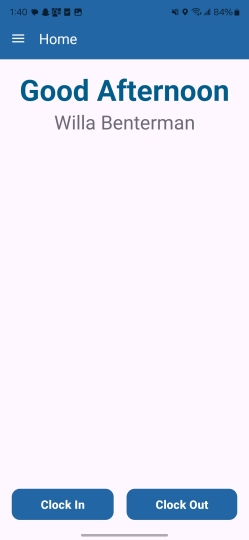
This page gives you the option to either clock in or clock out with the buttons at the bottom of the screen. Only one clock action is allowed per login on the mobile app.
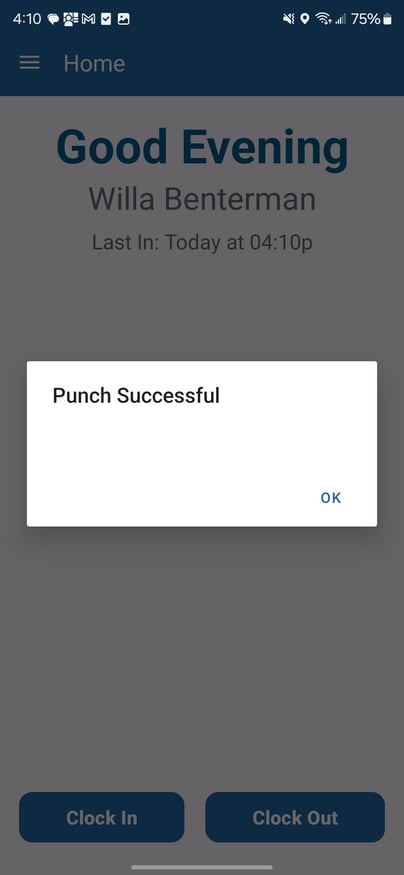
A successful in/out punch will produce the same "Punch Successful" message shown below regardless of if you are punching in our out.
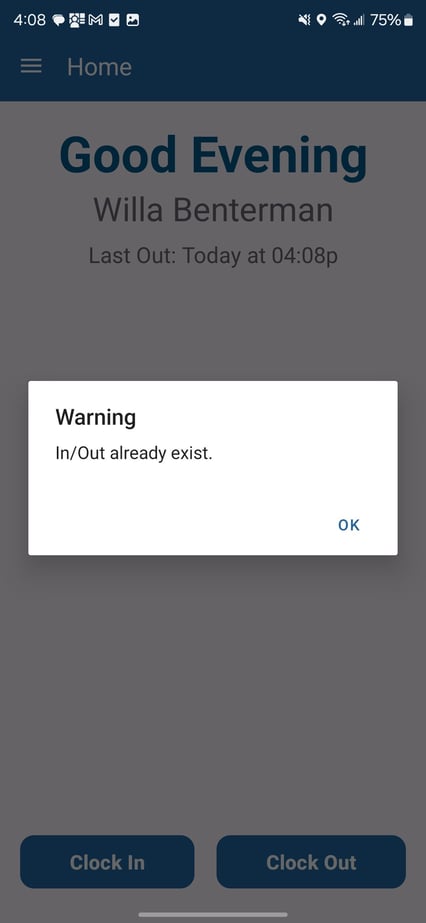
If a punch already exists for that time, the "In/Out Already Exists" Error message will appear.
After punching in/out, the screen will update to show your latest punch.
-jpg.jpeg?width=421&height=912&name=Screenshot_20251203_160814_TeamKeeper%20Mobile%20(1)-jpg.jpeg)