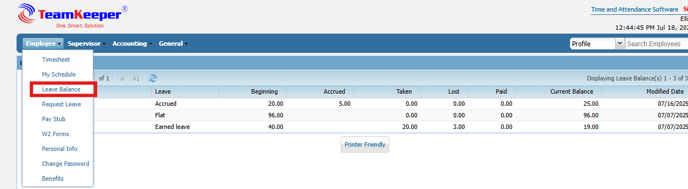
To view an employee's Leave Balance, click "Leave Balance". The employee will need to log in using their credentials. Next, they will click the Employee tab and select Leave Balance from the drop-down box.
/teamkeepr_logo.png?width=191&height=45&name=teamkeepr_logo.png)
To view an employee's Leave Balance, click "Leave Balance". The employee will need to log in using their credentials. Next, they will click the Employee tab and select Leave Balance from the drop-down box.