This report highlights all users who have scheduled overtime for the selected pay period. An employee must have a schedule created in Scheduling -> Schedule Management to have data appear here.
This report can be found by going Administrator -> Reports
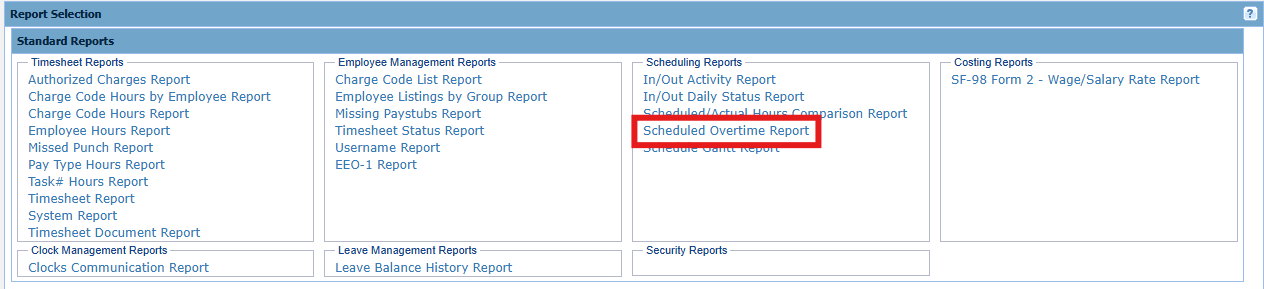
Input:
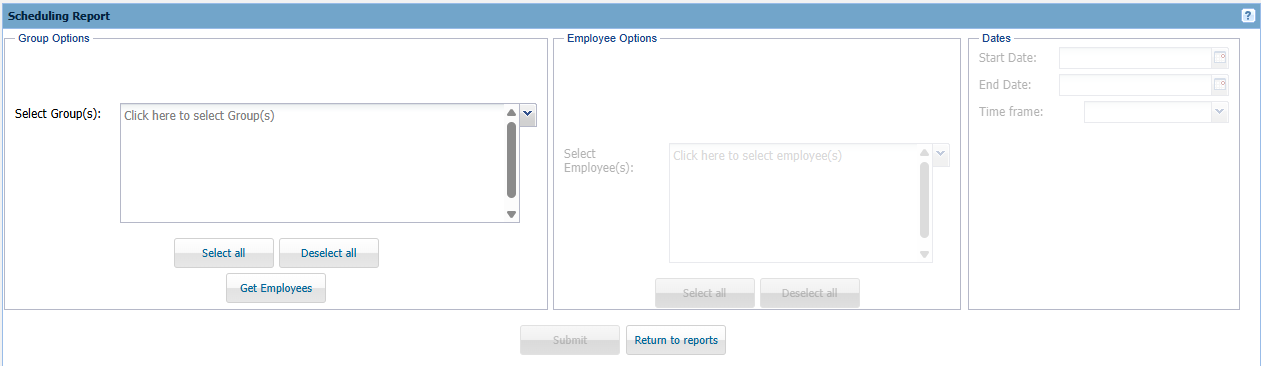
Group Options - Select the Group(s) you want to view employees for.
Employee Options - Select an employee(s) you wish to view scheduled overtime for.
Dates - Select the Dates or Time Frame you would like to view overtime for.
Output:
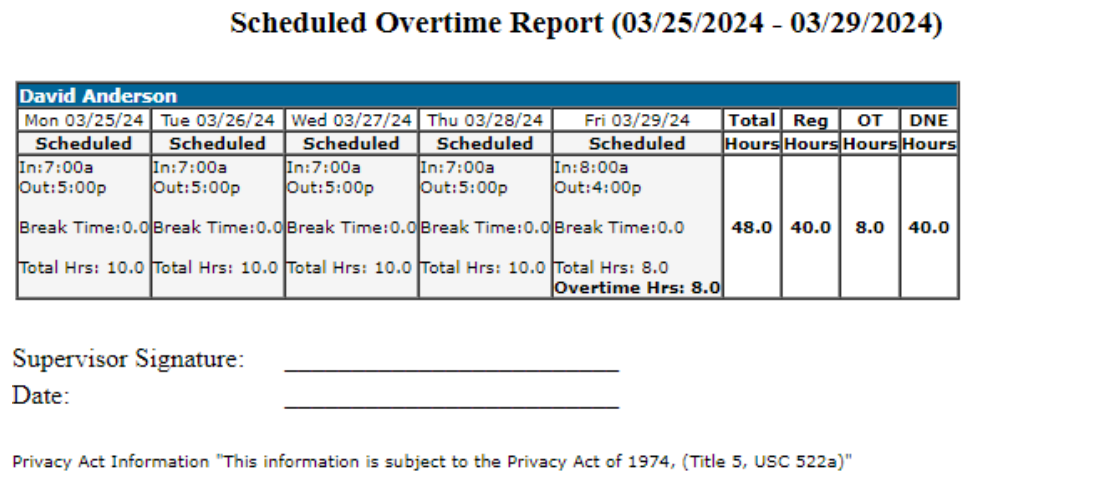
Each employee selected will have a row that appears with all of the dates over the selected time frame or date range. A break down of the hours are shown in the last four columns of each row. A supervisor signature section appears at the bottom of the page.