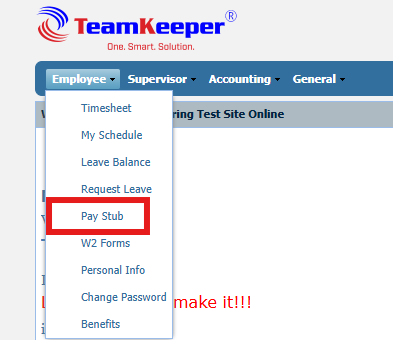
To view an employee's pay stub. The employee will need to log in using their credentials. Next, they will click the Employee tab and select Pay Stub from the drop-down box.
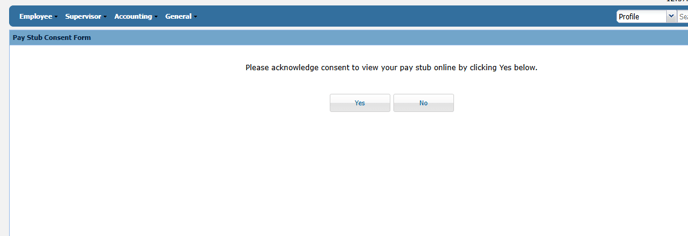
Note: Please, click Yes when asked "Do you consent to view the pay stub"?
/teamkeepr_logo.png?width=191&height=45&name=teamkeepr_logo.png)
To view an employee's pay stub. The employee will need to log in using their credentials. Next, they will click the Employee tab and select Pay Stub from the drop-down box.
Note: Please, click Yes when asked "Do you consent to view the pay stub"?